Log in and log out
You must have obtained a (GNU/)Linux installation medium, booted it on your computer and finished the installation process. If you have come to here, congratulations, you passed a lot of people by just trying and installing GNU/Linux despite of all of your worries and questions. The installation process probably must have asked you to remove the installation medium and restart your computer. After that, you will boot to a GNU/Linux distribution, how nice! However, there are still many things to do. Let's start from the process before you see the desktop.
Bootstrapping
When you start your computer, many processes happen before it becomes available to use. At first the computer does a self-check to see whether if all essential components are running fine or there are any broken components. This process is called POST (Power On Self Test). After that the computer searches for a medium (hard drive, CD, USB) for booting. There are two main boot methods that are used on x86 computers. The first one is called MBR. It checks a specific number to see if whether that medium has a partition table or not and runs the bootstrap code in the first sector of the medium. Although this is an easy process, it has drawbacks such as the bootstrap code being limited to 512 bytes and the partition table only supporting 4 primary partitions. It's not supported on newer devices, but it can be used in older computers which has incomplete or broken UEFI support. UEFI is the newer boot method. It can work on multiple architectures (such as x86 and ARM) and it uses a newer partition table which allows for more partitions. It has also less limitations on bootstrapping code and in some cases it doesn't require anything to boot a system! However, in many cases the BIOS gives control to an external program called bootloader.
Bootloader
The main task of bootloaders are loading the kernel. There are not many things to do on your bootloader but it can have some useful things if your system is broken or the system doesn't start. In bootloaders you can give arguments to your kernel or choose from different kernels or operating systems to boot from. The bootloader mainly used for booting GNU/Linux is called GRUB. You can access the GRUB menu by pressing the Shift key. Many GNU/Linux distributions configure the bootloader to have multiple choices, such as different kernel versions or a memory testing program. You can choose to load them from the menu if you need.
Logging in
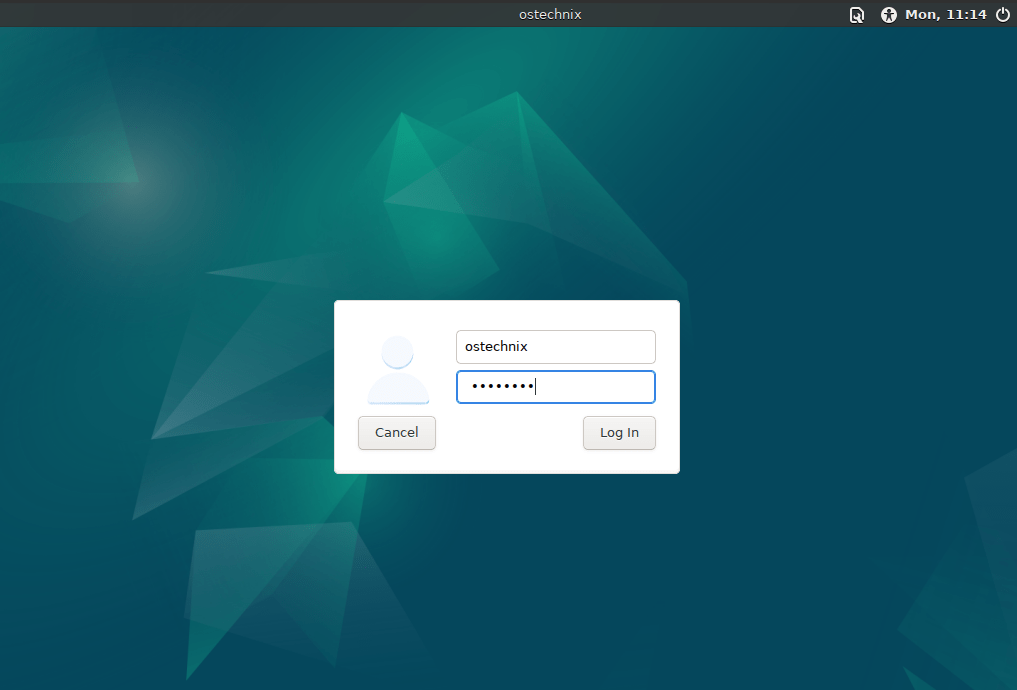
After your system has been successfully booted, you can finally see the login screen. It will usually want you to enter the user name and password you provided in the setup process. The login screen is actually a place to select the user you want to login as. You can login as any user, as long as their password are enabled. That includes the user root, which is the user that has access to everything. After entering the correct password for the chosen user, you will encounter with the desktop. Many distributions provide a similar experience with MS Windows or MacOS, so it's not hard to navigate.
Warning:
The root user is very powerful and any mistakes done using the root account can cause unrecoverable errors to happen. Don't use the root account unless you absolutely need privilege to execute a task.
Logging out
So you have finished your work and you need to log out from your session. You can switch users if you want to keep open your session but log in as another user or you can log out if your work is finished but someone else has work to do. If all of your work is done you can shutdown your system.
Information:
There are ways to do them on the terminal too. For example you can shutdown your system by writing systemctl shutdown on the terminal. Another example is the su command, which is a way to switch users in terminal without having to turn off your session.